SQL Accounting Software

The Best Accounting Software for Small Businesses in Malaysia

SQL Accounting Software is a powerful yet easy-to-use solution designed to help Malaysian businesses manage accounts, inventory, and reporting with confidence.

  • 4.8/5 average rating
  • 32,000+ Malaysia Companies
  • E-Invoice Ready
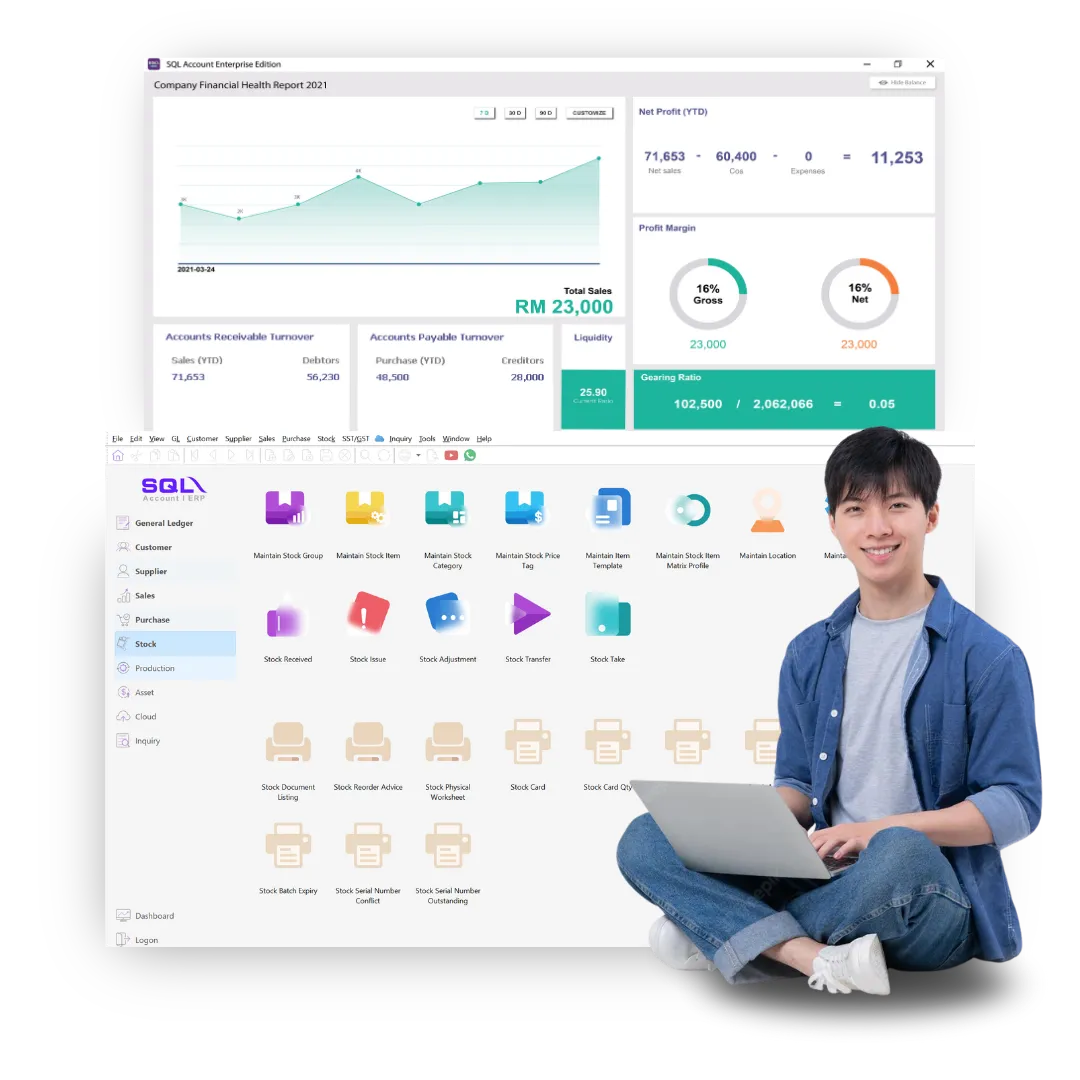
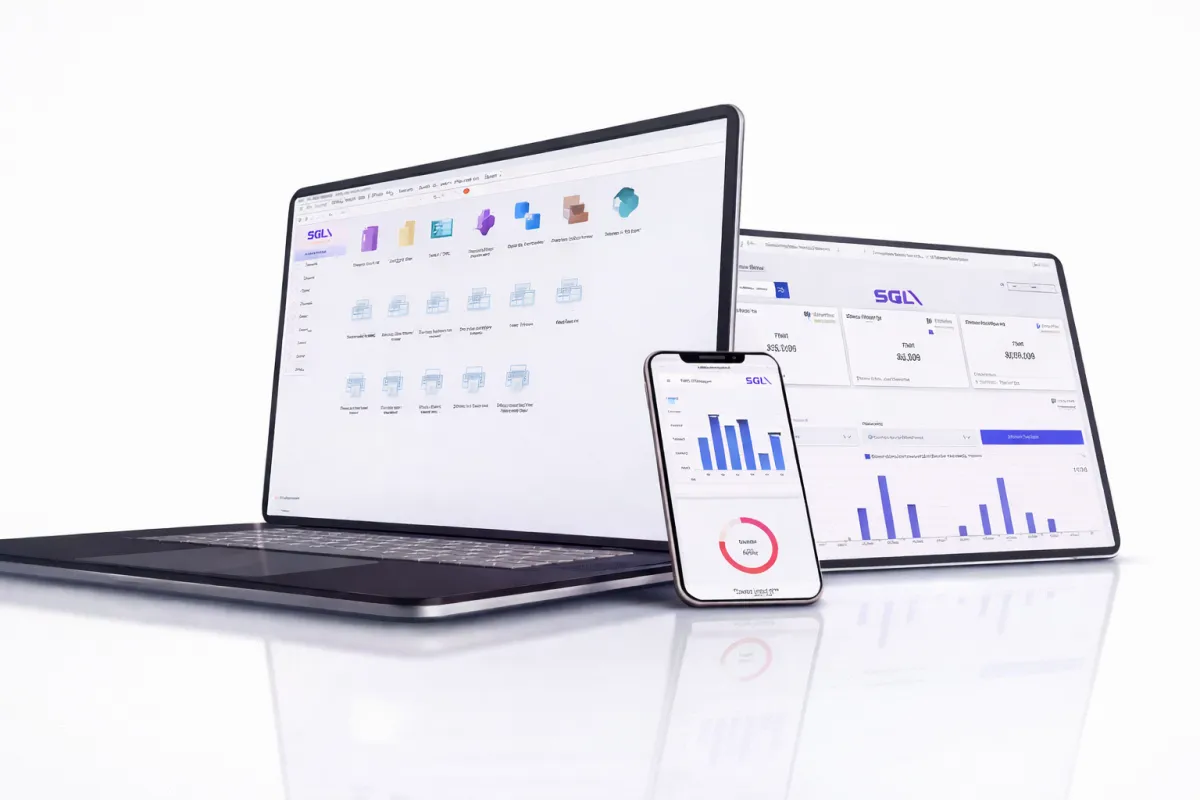
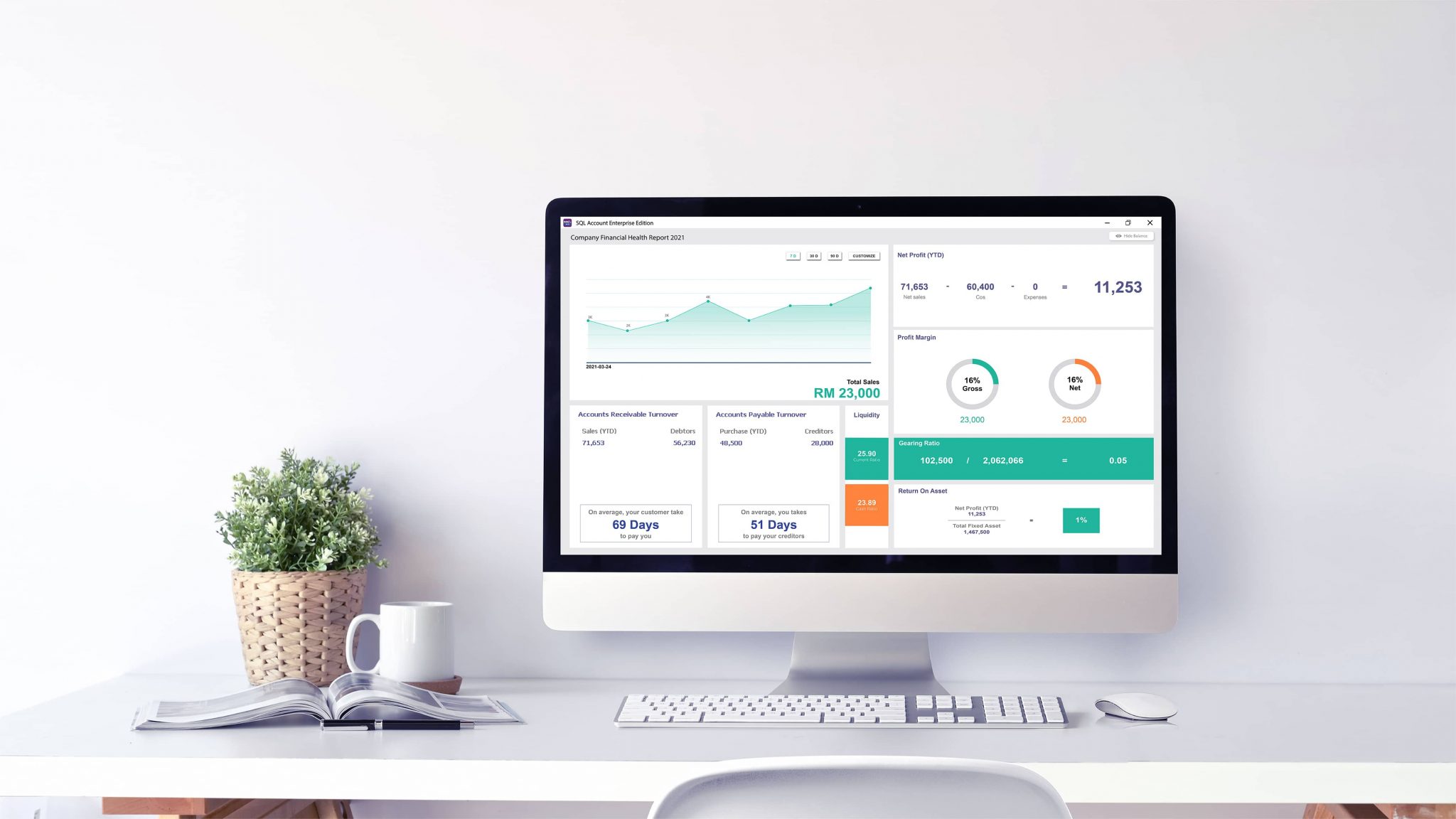
sql accounting software dashboard

Awarded Best Accounting Software for Businesses by

Sin Chew Business Excellence Awards 2019 Logo
328,659
SQL Account Users Nationwide
86%
Customer Retention Rate
6.86M
Transactions Processed Per Week
4.8
Customer Satisfaction Rating (CSAT)

Business-Critical Benefits of SQL Accounting Software

Accessibility

In addition to being PC/server based, SQL Accounting software also offers a cloud-based accounting solution that enables you to access your financial data from any location with an internet connection, so you can manage your finances remotely.

Unlimited transactions & unlimited storage size

One of the main benefits of using SQL Accounting Software is the unlimited number of financial transactions that you can issue. Along with unlimited number of transactions, SQL Accounting Software also provides unlimited data storage with no additional cost. Most cloud-based software have incurring charges based on the database size.

Cost Saving

Automating your accounting process with SQL Accounting Software can save you significant time and money. This software is typically more cost-effective than hiring a full-time accountant and can provide you with accurate financial information faster.

Efficiency

By using SQL Accounting software, you can dramatically increase efficiency because the software automates routine and repetitive accounting tasks, such as data entry and bookkeeping, reducing the risk of human error and enabling you to process transactions faster.

Flexibility

SQL Accounting Software has a high level of configurability, which means that you can customize the software to meet the unique needs of your business. This flexibility allows you to change the way your accounting processes work as your business grows and evolves.

Secure

SQL Accounting Software provides robust security measures to safeguard your financial data from unauthorized access. The software uses encrypted data storage to protect sensitive information from outside threats.

Seamless upgrades

With SQL Online Accounting Software, you will get the latest updates immediately. Updates are done automatically. Stay current with the latest accounting and taxation rules in Malaysia with SQL Online Accounting software.

High quality localized support & onsite training

Receive the best post-sales customer service when you purchase SQL Online Accounting software. A local team of highly trained technical support personnel provides phone and online support. Call our support hotline for anything related to SQL Accounting Software and get immediate assistance.

SQL Accounting Software Invoice Screen
Invoice screen
SQL Accounting Software User Access Control Screen
User access control
SQL Accounting Software Dashboard Screen
Dashboard
SQL Accounting Software Profit & Loss Report Screen
Profit & loss report

SQL Accounting Software Highlight Features

Access anytime, anywhere

Use SQL Accounting securely from any location without device limitation.

Batch Email Document & Statement

Send invoices and statements to multiple customers at once.

Support Multiple Type of Business

Manage different business entities in a single system.

Built-In CTOS Report

Instant credit checking through integrated CTOS reporting.

User Access Right

Control user permissions to protect sensitive data.

Comprehensive Reporting

Detailed financial insights for smarter decisions.

SST Module

Comply with Sales & Service Tax requirements easily.

Keep Your Own Database Backup

Maintain full control of your accounting data with backups.

Project Module

Track project cost, revenue, and profitability accurately.

Connect to RHB Reflex

Direct integration for smoother bank transactions.

Fixed Asset Module

Manage depreciation, disposal, and asset valuation automatically.

Auto Bank Reconciliation

Automatically match transactions to save time and reduce errors.

eInvoice, ePayment, eStatement

Go paperless with digital billing, payments, and statements.

Mobile Approve (Email & WhatsApp)

Approve transactions instantly from your phone, anytime.

Integrate with Payroll

Connect payroll and accounting for consistent reporting.

SQL Accounting Software Main Module

General Ledger

It’s easy to manage and track your company’s accounting records

Customer

Keep Your Customer in Touch

Supplier

Manage and keep your supply chain in check

Stock

Helps take control of your inventory effortlessly

Sales

More time. For Sales.

Purchase

Be cost effective.

SQL Accounting Software is E-Invoicing Ready

SQL Accounting Software Add-On Module (Optional)

Multi Location

Manage multiple outlets with unified stock, pricing, and reporting.

Batch / Expire Date Control

Track batch numbers and expiry dates to reduce loss and improve traceability.

Production BOM - Bill of Material

Define materials and components required for accurate production costing.

InterBank Giro IBG

Create IBG payment files and streamline bank transfers securely.

Financial Consolidate

Combine multiple companies or branches into consolidated financial statements.

Production Job Order

Plan and monitor job orders with materials usage and output tracking.

eCommerce

Sync online orders and inventory for smoother selling across channels.

Excel Data Import & Export

Import or export master data and transactions quickly using Excel.

Multi Currency

Handle foreign currency transactions with exchange rate support.

Salesman Commission

Automate commission calculations based on sales rules and targets.

Stock Category

Group items by category for easier management and clearer reporting.

SQL Business Intelligence Dashboard

Visualize key KPIs and trends with interactive, real-time insights.

Serial Number

Track items by serial number for warranty, returns, and traceability.

Deposit Module

Record deposits received and apply them to invoices accurately.

Cash Flow Forecast

Predict upcoming cash positions based on payables and receivables.

Membership Points

Reward customers with points and track redemption history easily.

Point of Sales

Fast checkout with receipts, cash drawer, and sales tracking.

Multiple Branches Control

Set branch-level controls for pricing, inventory, and approvals.

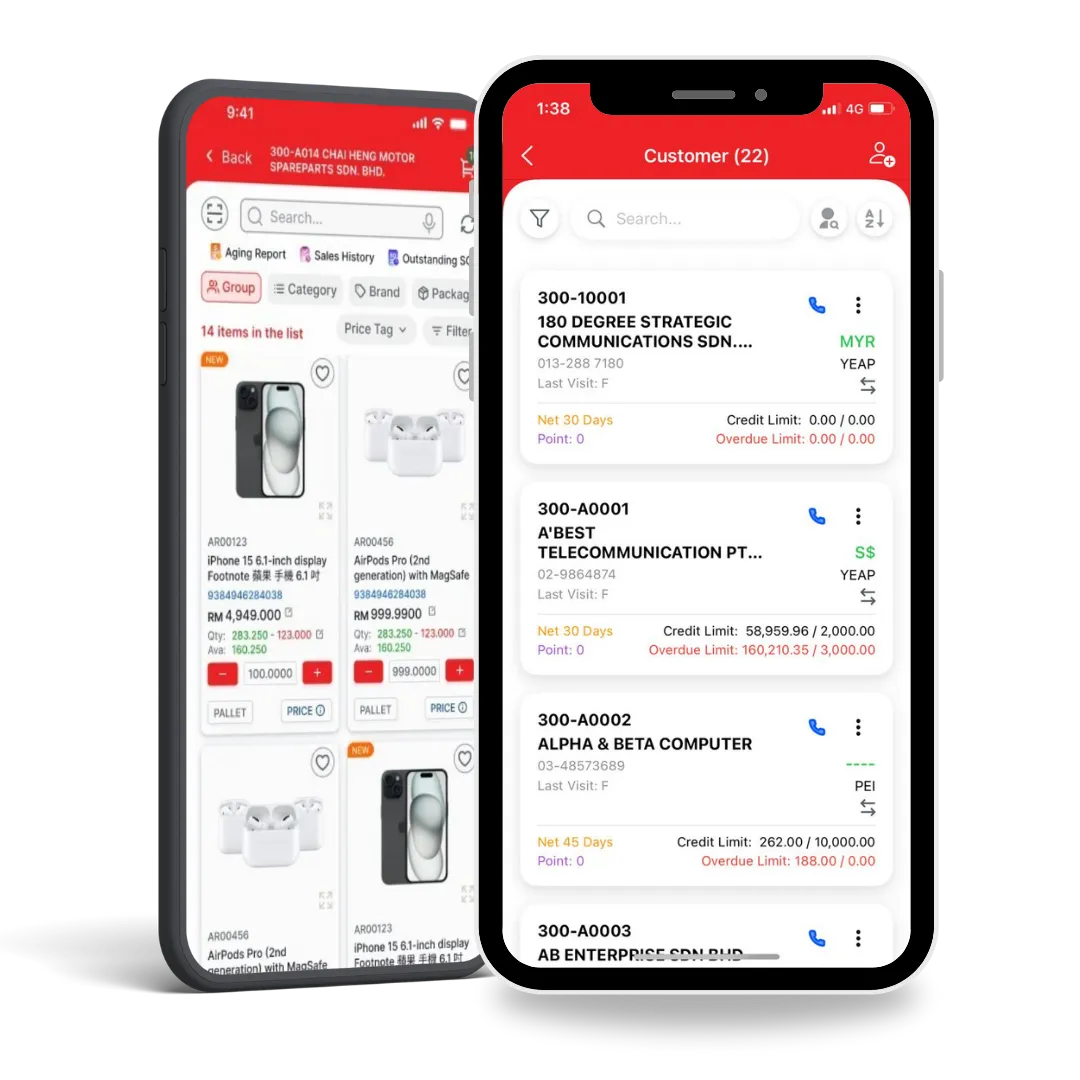
Salesman Mobile Apps

Enable field sales to create orders, check stock, and collect payments.

Stock Pick Checker Program

Verify picked items before delivery to reduce packing errors.

Stock Take Apps

Conduct faster stock counts with mobile-friendly stock-taking tools.

Why Hybrid Cloud Accounting Software?

Desktop for control, Cloud for flexibility, and Hybrid for the perfect balance - combining offline speed with secure online access.

Hybrid Cloud Benefits

Highly Customizable Workflows

Customize formulas, business logic, security, and access control to fully match your operational workflow and scale with your business growth.

Automated Sales Commission

Automatically calculate commissions based on invoices, payments, profit margins, aging, item groups, and custom commission rules.

Full Data Ownership, One-Time Cost

Maintain 100% ownership and control of your data on your own premises with a one-time setup and no monthly subscription fees.

Unlimited Usage, No Hidden Costs

Enjoy unlimited transactions, invoices, and storage with no extra charges—so you can grow freely without worrying about usage limits.

Desktop
Use in office only
Customizable formulas & logic
One-time payment, full data ownership
High hardware & server license cost
Cloud
Access anytime, anywhere
Limited customization
No full data ownership
Lower hardware investment
SQL Cloud (Hybrid)
Access anywhere, anytime Office operations continue even without internet
Highly customizable workflows
One-time payment & full data ownership Download and retain all data even after subscription ends
Low hardware & license investment

SalesHero: The Best SQL Integrated Mobile Sales App

Now, salespeople can effortlessly create orders directly from their mobile phones. Instantly connected to the server database, they can access and update order details in real time, boosting productivity and accelerating sales like

Instant Order Sync
Price Control
Live Stock & Price Checking
Aging Report

SQL Accounting Software Review

Discover why people choose us for SQL Software!

“SQL Accounting has really streamlined our financial reporting process. The automated bank reconciliation and customizable financial statements save me hours every month. It’s also very user-friendly, even for our junior staff. Highly recommended for companies that want accuracy and efficiency.”

Emma
Emma
Finance Manager
15-06-2025

“I like how detailed the reporting functions are. From tracking debtor aging to generating GST/SST compliant reports, everything is easy to extract. The software reduces manual mistakes and helps me stay organized during busy closing periods.”

Chris
Chris
Account Executive
17-01-2023

“Our company just switched to SQL Accounting, and it has been smooth so far. The inventory and billing features integrate seamlessly with accounts, so I don’t have to key in the same data twice. I just hope the mobile app gets more functions in the future.”

Michelle
Michelle
Account Officer
01-06-2024

SQL Accounting Software Requirements

SQL Account
Choose what’s best for the workflow of your accountants and bookkeepers.
Software Size
55.1 MB
License Type
Demo
Username & Password
ADMIN
Supported Languages
English, Chinese,
Bahasa Malaysia, Bahasa Indonesia
SQL Cloud Hosting
Recommended server specification for stable performance and scalability.
Hardware
CPU: Latest Intel Core i5 or AMD Ryzen 5 or above
Disk: 1 TB NVMe SSD
RAM: 32 GB DDR-4
Operating System
Windows 10 or Windows 11 Professional License (64-bit)

Our SQL Accounting Implementation Journey

Consultation

Begin with a free consultation to understand your business needs and assess how SQL Accounting Software can best serve you.

Customization

We’ll walk you through the features and tailor configurations to fit your exact workflows and reporting needs.

Data Migration

Our experts securely migrate your existing financial data into SQL, ensuring a smooth transition without data loss.

Extensive Training

Receive personalized tutorials and hands-on training so your team is fully equipped to use the software effectively.

Ongoing Support

Enjoy continuous support, updates, and maintenance to keep SQL Accounting up to date and efficient.

SQL Accounting Software Training

Struggling in learning SQL system? Watch free, bite-size videos covering setup, chart of accounts, customers, suppliers, stock, purchasing, and goods received - learn step-by-step at your pace.

Create and Activation New Company

Maintain Chart of Account

Maintain Customer

FAQs About SQL Accounting Software

SQL Accounting Software is one of the leading accounting solutions in Malaysia, trusted by SMEs and large organizations. It provides a comprehensive and flexible system to manage accounting, invoicing, inventory, and other core financial tasks. Designed to be user-friendly and customizable, SQL Accounting ensures compliance with Malaysian regulations while keeping your financial data secure with advanced security features.

To get started, install SQL Accounting following the provided setup instructions, then create your company profile, define your chart of accounts, and begin recording transactions such as sales, purchases, and expenses. You can also generate invoices, reconcile bank statements, and produce financial reports like profit & loss and balance sheets.

Yes. SQL Accounting can be used on Mac by installing Windows through virtualization software such as Parallels Desktop or VMware Fusion. Alternatively, you may use the cloud-based version, which allows access from any device with an internet connection.

Installation involves running the setup file, accepting the agreement, confirming the default installation path (C:\eStream\SQLAccounting), and ensuring required folders are created. Once installation is complete, select Evaluation mode to auto-create a testing company. For detailed steps, please refer to the official installation guide or contact support.

To create a new company, go to File > Logon, click Setting > Create New Database, enter your company name, and click OK. Double-click the newly created company to log in. The default username and password is ADMIN.

To back up your database, go to File > Backup Database, add a local storage location, select your save folder, and click Backup. To restore, click Restore beside the company name at login, select your backup file, and confirm the restoration.

Download the latest version, run the installer, accept the agreement, confirm the installation path, and complete the installation. Log in from the main PC and click Yes when prompted to upgrade the database.

Open the Windows Control Panel, go to Region and Language Settings, select English (Malaysia) with the dd/mm/yyyy format, then click Apply or OK.