Excel template.xlsx · Excel 2010 or later
The full template with formulas: stock value, reorder status, the summary at the top and the stock count variance. Ready for 300 items.
Download Excel
Keep track of every item you stock: item code, location, quantity, reorder level and cost. The template works out your stock value, flags items to reorder and shows the variance after a stock take. Free, no sign-up.

One file, three sheets: Inventory List, Stock Count and How to Use.
The full template with formulas: stock value, reorder status, the summary at the top and the stock count variance. Ready for 300 items.
Download ExcelA blank inventory list and a blank stock count sheet, to fill in by hand on a clipboard while you walk the shelves.
Download PDFInventory List sheet
Every column in the template, what to type in it, and an example. The columns marked "Auto" are worked out by formulas.
| Column | What to enter | Example |
|---|---|---|
| Item code (SKU) | The code you use for the item in your accounting or POS system. One code per item, never reused. | SKU-10023 |
| Item name | A name anyone in the warehouse would recognise, with size or pack where it matters. | Paint thinner 1L |
| Category | A group for filtering and totals, such as product line or brand. | Paint & solvent |
| Unit | How you count it. Pick from the drop-down: PCS, BOX, CTN, PKT, KG, L and more. | BTL |
| Location / bin | Where it is kept, as zone-aisle-rack or a bin code, so anyone can find it. | A-01-03 |
| Qty in stock | How many units you have now. Update it the day stock comes in or goes out. | 48 |
| Reorder level | The quantity at which you need to order again. | 20 |
| Reorder qty | How much you usually order from the supplier. | 60 |
| Unit cost (RM) | What one unit costs you, for the stock value. | 6.50 |
| Stock value (RM)Auto | Nothing: quantity × unit cost, added up in the summary at the top. | 312.00 |
| StatusAuto | Nothing: shows Reorder in red when the quantity is at or below the reorder level. | OK |
| Supplier | Who you buy it from, so the reorder list tells you who to call. | Kim Hin Trading |
| Last counted | The date the item was last physically counted. | 03/11/2026 |
4 steps
Download the Excel file. It also opens in Google Sheets. Print the PDF if you count on paper.
Replace the five example rows with your items: one row per item, with the same item code as in your accounting system.
Enter the reorder level for each item. When stock falls to it, the status turns to Reorder in red.
Update quantities the day stock moves, and use the Stock Count sheet to count and see the variance by item.
Real screenshots
One Excel file with three sheets, plus a printable PDF. These are the real files you download; the stock count shows example counts.
Stock Count sheet
Item codes, names, locations and system quantities come straight from the Inventory List. Type what you count; the variance and its value in RM are worked out, and the total at the top shows what is missing.

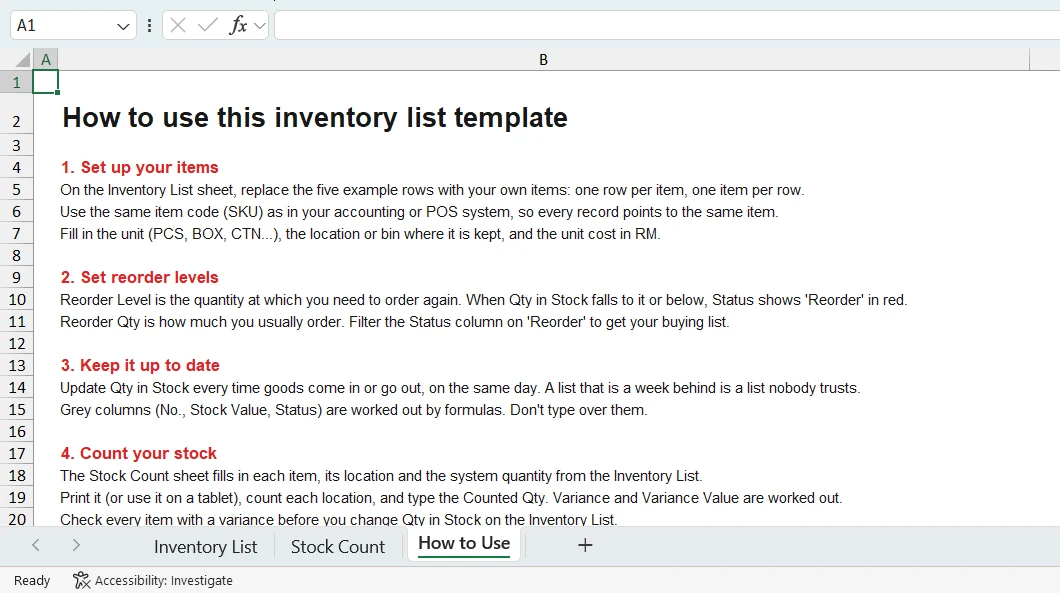
How to Use sheet
Hand the file to a new storekeeper: the third sheet explains every step in plain words.
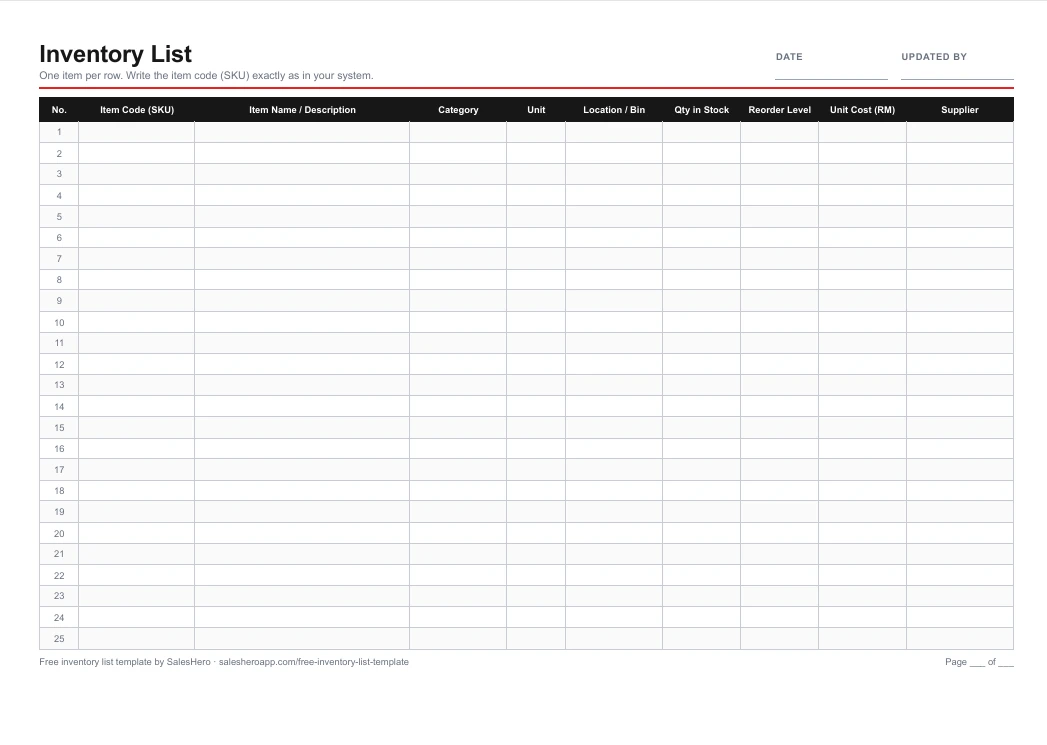
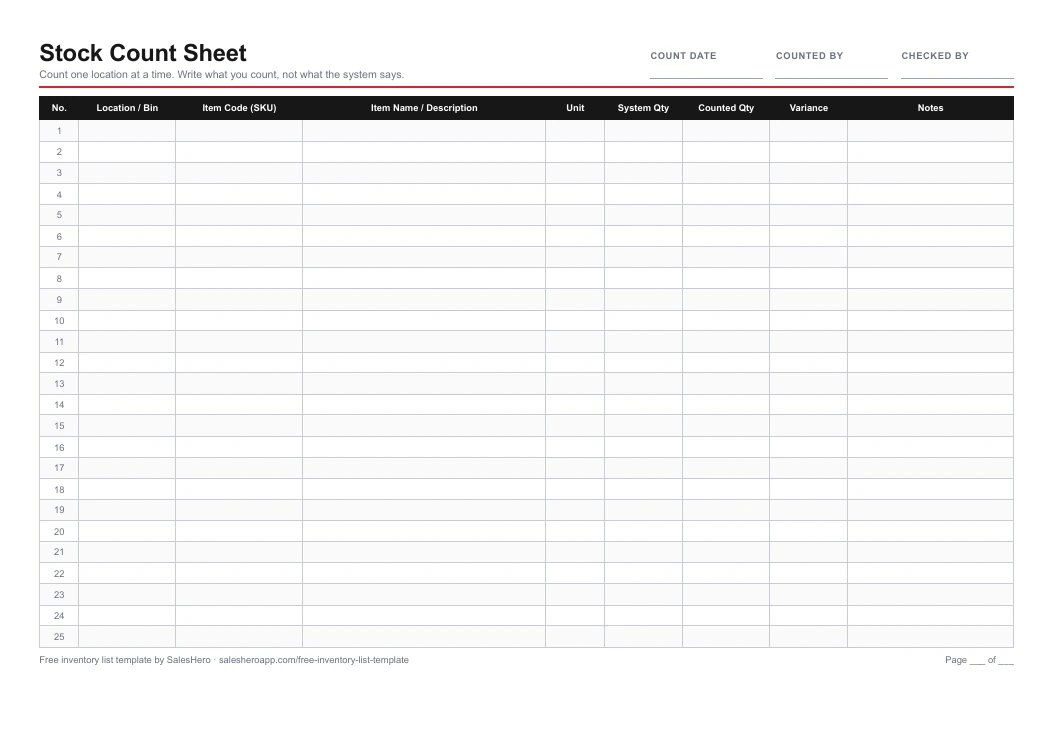
Printable PDF
Two A4 landscape pages: a blank inventory list and a blank stock count sheet, 25 rows each.
Turn the item codes and locations in this template into Code 128 barcode labels: paste the rows from Excel into our free barcode generator and print a whole label sheet at once.
Inventory management tips
An inventory list only helps if people trust it. These six habits keep the numbers in your spreadsheet close to what is on the shelf, and they are the same habits a warehouse management system builds into every scan.
Use the item code from your accounting system, and never give two items the same code or one item two codes.
Decide whether an item is counted in pieces, boxes or cartons, and stick to it. Mixing units is the quickest way to a wrong number.
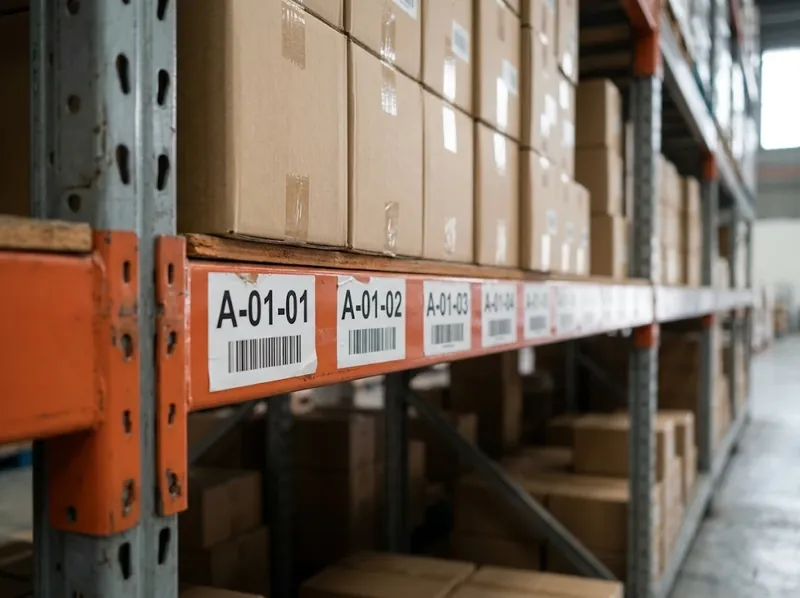
Label racks and bins with codes like A-01-03 and record them on the list, so stock is found, not searched for.
Update quantities when goods arrive and when orders leave, not at the end of the week from memory.
Count a few locations every week (a cycle count), with fast movers more often, instead of one big stock take a year.
When a count doesn't match, recount and look for unrecorded receipts or returns before you change the number.
Every number in an inventory list is typed in by someone, after the fact. That works for a small store room. It stops working when many people receive, pick and pack all day.
StoreHero WMS
Every stock take ends in a long list of variances nobody can explain.
Office, storekeeper and sales each have a version, and none is up to date.
Pickers work from printed lists, and mistakes are found by the customer.
Counting on paper and typing it in again keeps the warehouse closed.
The reorder alert only works if the quantity was updated in time.

With StoreHero, your team scans to receive goods, picks from a guided list, scans again before packing and runs stock takes on a PDA, smart scanner or Android phone. Stock is tracked down to each bin, the office sees every step live, and stock stays in sync with SQL Accounting and AutoCount.
See how the StoreHero warehouse management system keeps stock right without anyone retyping a spreadsheet.
FAQ
Questions about inventory lists, stock counts and the template.
Download the templateAn inventory list is a record of every item a business keeps in stock: its item code, name, unit, where it is stored, how many are on hand and what they cost. It tells you what you have, where it is and when to order more.
At least an item code (SKU), item name, unit of measure, storage location, quantity in stock, reorder level and unit cost. This template adds category, reorder quantity, supplier, last counted date and notes, and works out the stock value and reorder status for you.
Make one column for each detail (item code, name, unit, location, quantity, reorder level, unit cost), one row per item, and add formulas for stock value and reorder status. Or download this free template, where all of that is already set up for 300 items.
Yes. Upload the Excel file to Google Drive and open it with Google Sheets, or use File > Import in a new sheet. The formulas, drop-down list and reorder colours keep working.
Each item has a reorder level. When the quantity in stock falls to that level or below, the Status column shows Reorder in red, and the summary at the top counts how many items need ordering. Filter the Status column on Reorder to get your buying list.
Open the Stock Count sheet: it already lists every item with its location and system quantity. Count one location at a time, type the counted quantity, and the sheet shows the variance and its value in RM. Check each variance before you change the quantity on the inventory list.
Every day that stock moves: record goods received and goods sent out on the same day. Count fast-moving items every week or month, and do a full stock take at least once a year, before your financial year end.
The inventory list is your running record of what should be in stock. The stock count sheet is what you fill in when you physically count, so you can compare the two and find the variance: stock that is missing, damaged or was never recorded.
Yes. Use the item codes and locations from your list to make Code 128 barcode labels with our free barcode generator: paste the rows straight from Excel and print a whole label sheet at once.
When several people pick, receive and count every day, the spreadsheet is always behind, wrong items get shipped, or a stock take takes a whole weekend. Then a warehouse management system like StoreHero WMS records every receipt, pick and count by barcode scan as it happens.
Yes. It is free to download with no sign-up or email, and you may use and change it for your business as you like.
Free demo
See how wholesalers and distributors receive, pick, pack and count stock by scanner instead of updating spreadsheets. Book a free online demo or a free consultation.

Quick question before you download
Either way, your free template is one click away. Or book a free demo
Ready to modernize your B2B sales workflow?
Cut down on manual labor and reclaim your time with our automated ordering system. Built for the modern wholesaler.