
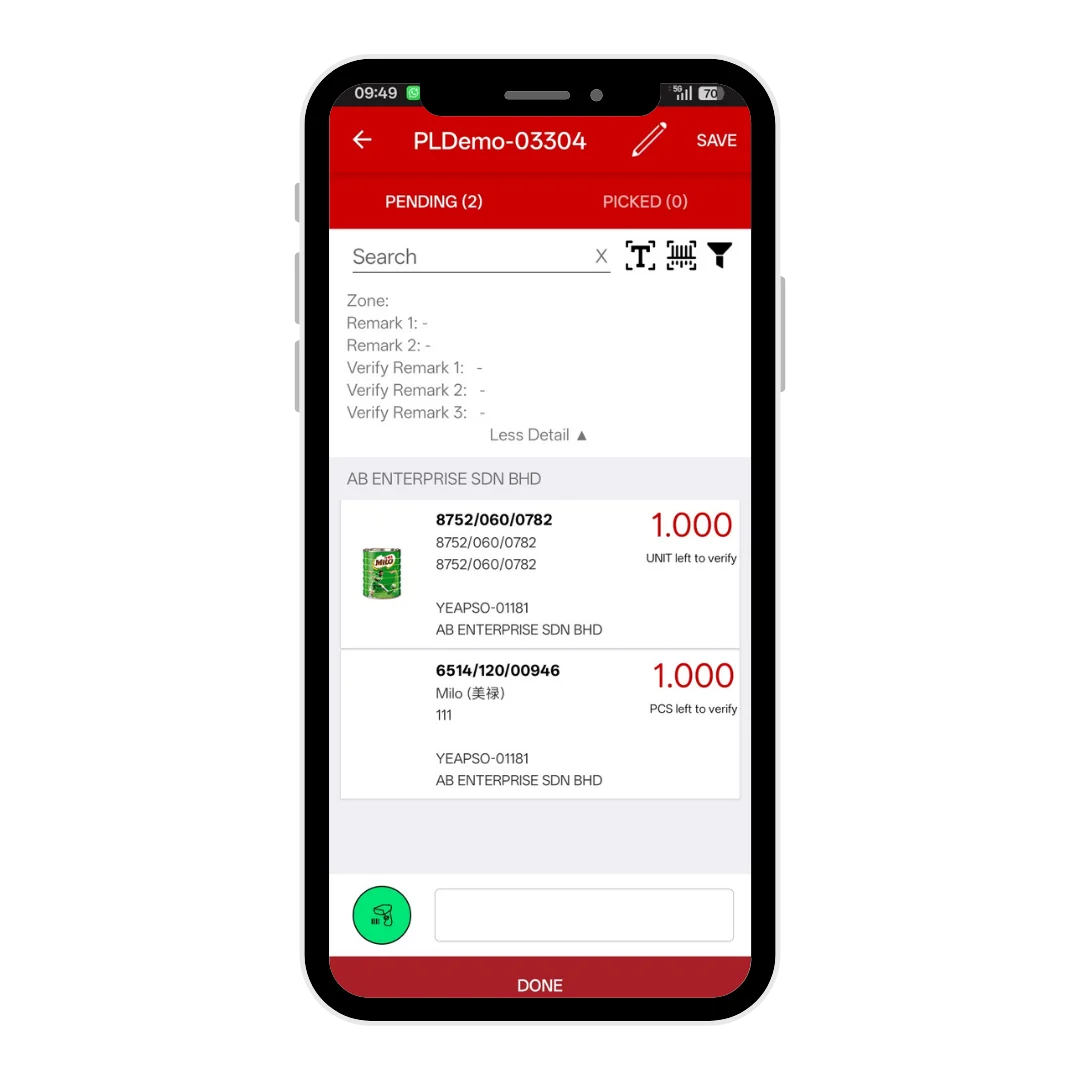
Reason 1
Paperless picking with a PDA or smart scanner
No more printing pick lists. Pickers scan each item's barcode and finish the pick on their own, fast and accurately.

Warehouse Management System That Gets Every Order Picked Right
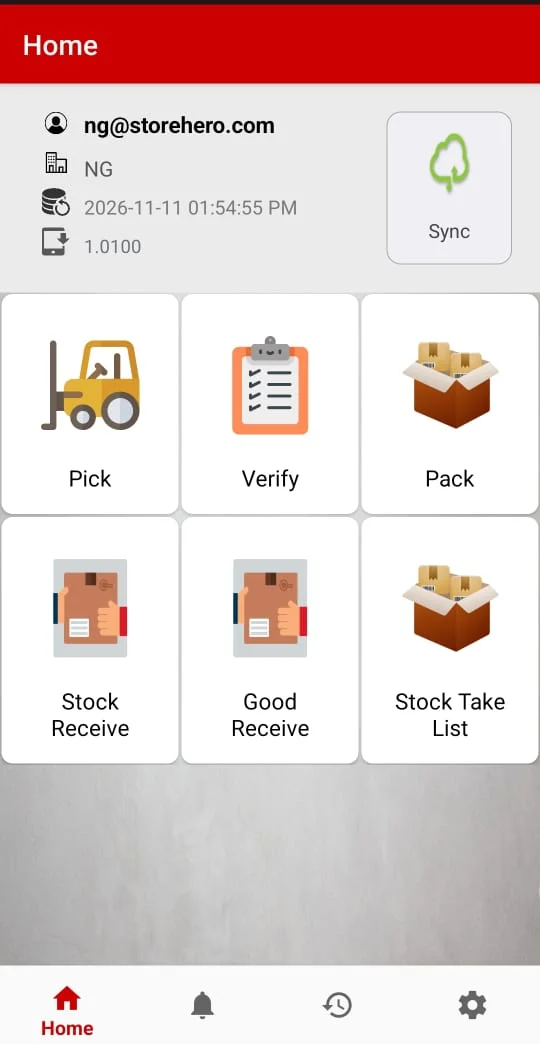
Your warehouse team works on a PDA, smart scanner or phone, and the office sees every step live:
A warehouse management system (WMS) is software that runs the daily work of a warehouse - receiving stock, picking, checking and packing orders, and counting stock - and records every movement as it happens. StoreHero is a WMS built in Malaysia for wholesalers and distributors: your team does it all on a PDA, smart scanner or phone, and the office sees every step live.
Top 3 Reasons
We understand what warehouse teams need. Here is what makes StoreHero different from a stock list in Excel or a generic inventory app.
Reason 1
No more printing pick lists. Pickers scan each item's barcode and finish the pick on their own, fast and accurately.
Reason 2
Keep all your hot-selling items in one pick area, so pickers make fewer trips across the warehouse.
Reason 3
Connect your favourite accounting system, so your warehouse and finance are always in sync.
Book a free online demo or a free consultation - we'll walk through how your team receives, picks, packs and counts stock today, and how StoreHero fits.
Pick items efficiently from a digital pick list on a PDA, smart scanner or phone - no printed lists.
Verify orders accurately: scan the picked items against the order before anything is packed.
Receive stock with ease and update what is available to sell sooner.
Pack orders seamlessly, with the box count and weight recorded before they ship.
Receive goods smoothly: record what arrives from suppliers against what was expected.
Take stock with confidence: count by location and see the variance by SKU before you adjust.
Business Outcomes
This is not just warehouse software. It is a better way to run wholesale fulfilment, every day.
Accuracy
Every picked item is scanned and matched to the order, so a wrong SKU or quantity is flagged at the packing table - not by your customer.
Speed
Replace printed lists, Excel sheets and repeated manual updates with one connected flow, so orders move from pick to pack without delays.
Visibility
Owners, managers, sales and admin see stock movement as it happens, and every stock take shows the variance by SKU before anything is adjusted.
Measured Impact
Operational clarity turns into measurable business performance across speed, accuracy and inventory confidence.
+30%
Faster fulfilment from pick to verify to pack
-45%
Manual errors caused by scattered workflows
99%
Stock traceability across every stock movement
How It Works
Every stock movement is connected, so your team works faster with fewer gaps between warehouse, admin and sales.
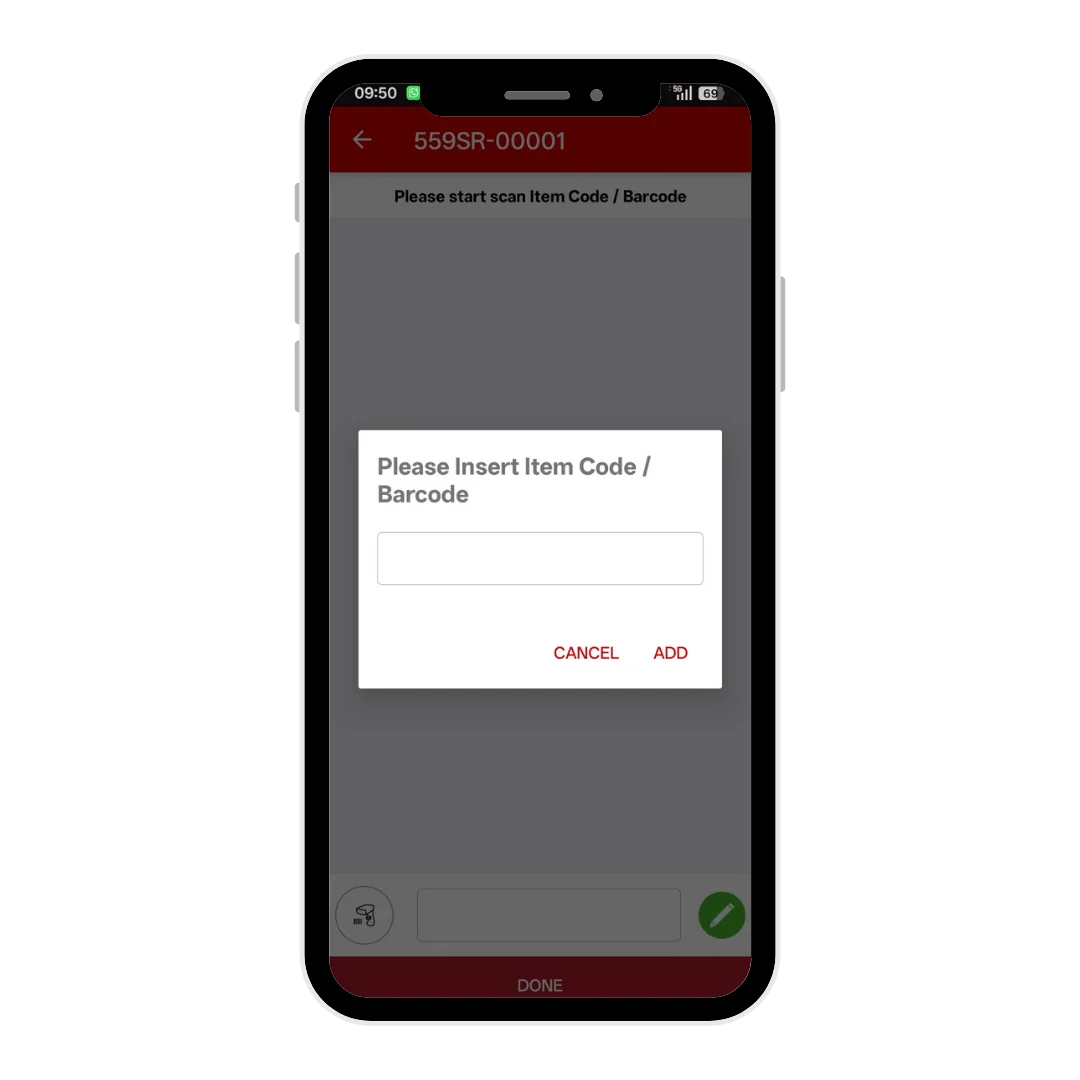
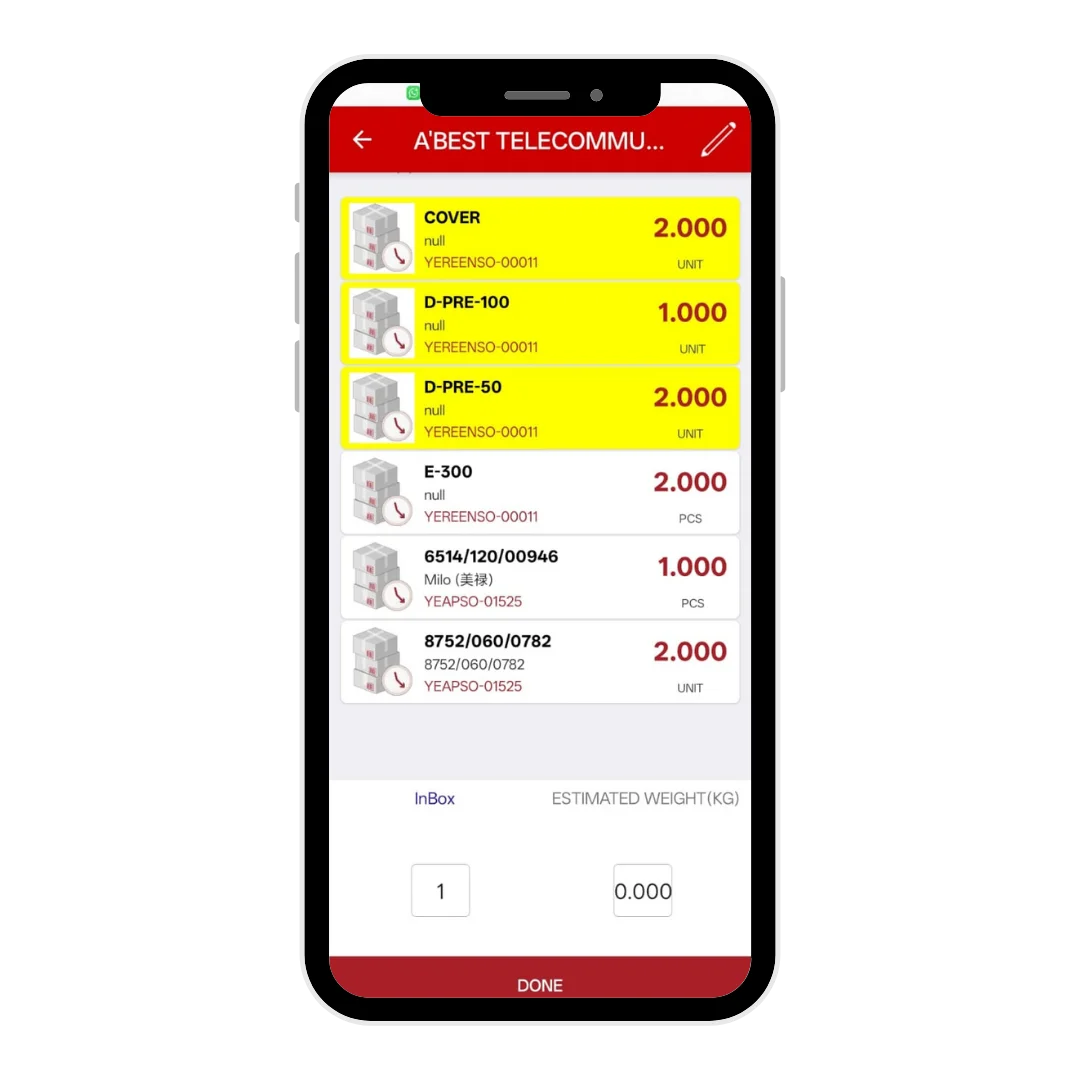
Scan goods in as they arrive from suppliers. StoreHero records what came in against what was expected and updates available stock sooner.
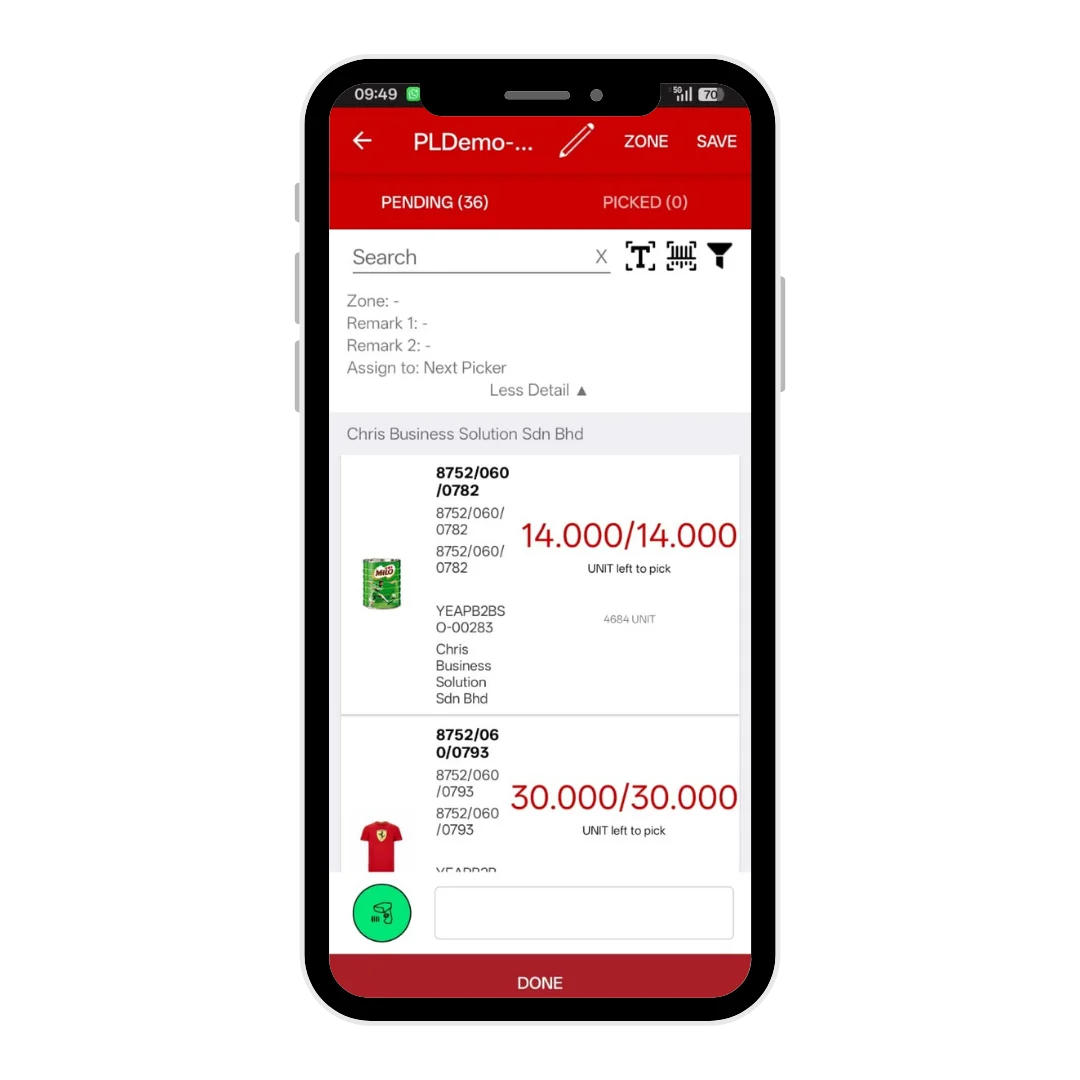
Pickers get a digital pick list on a PDA, smart scanner or phone, with each item's code, quantity and zone, and scan each item as they pick it. No printed pick lists.
Scan the picked items again to check them against the order. A wrong item or quantity is flagged before anything is packed.
Pack each order, record the box count and weight, and mark it ready to ship, so sales and admin see its status straight away.
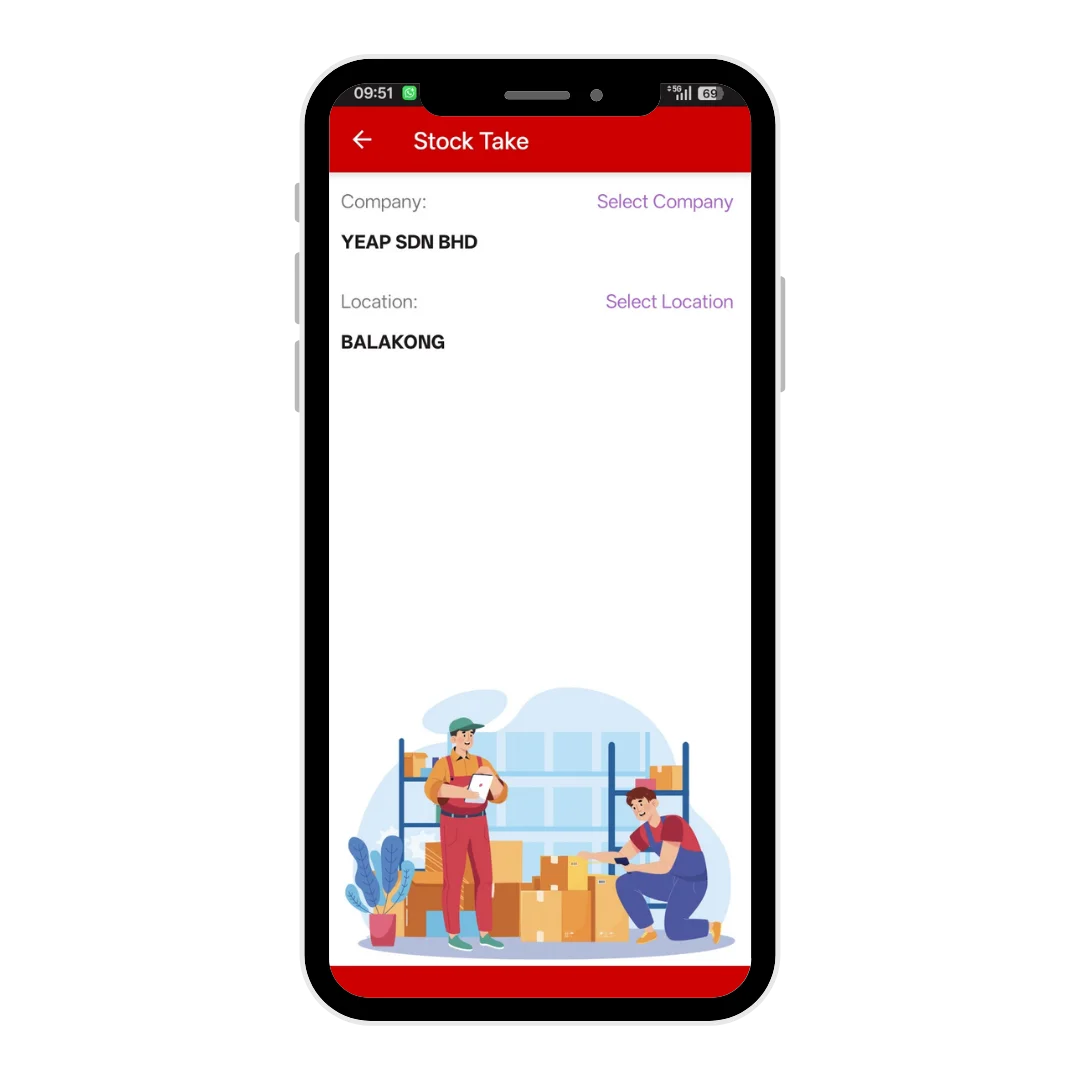
Run stock takes by company and location, scan the counts on the floor and see the variance by SKU before you adjust. Stock stays in sync with your accounting system.

Your warehouse and finance stay in sync with the accounting software you already use.
Testimonials
From the warehouse floor to the sales team, every detail we create is inspired by our users. See how real businesses get results with StoreHero and SalesHero.
Reviews from SalesHero customers
Warehouse Supervisor, Lenc Paints Sdn. Bhd. - StoreHero WMS
“StoreHero adalah product yang efficient untuk warehouse picking accuracy.”StoreHero is an efficient product for warehouse picking accuracy.
 Kuan Teng Loon★★★★★
We have been utilizing the Saleshero app for over two years now. It saves us significant time with features like online orders, check-in, sales target monitoring, and outstanding balance checks. Thanks to the Saleshero support team for always helping resolve any issues!
 Celine Tan Sock Lee★★★★★
Saleshero solves our problem of transmitting orders. It saves clerical time and speeds up shipping. Special thanks to Ivy, Anthony, and Kangzhe for always helping and solving our needs!
 Jin Weng★★★★★
Before Saleshero: One-man show. After Saleshero: One-team show! Sales pass directly to accounting through mobile. Thank you Saleshero and Ivy for the great journey!
 Kelly Ong★★★★★
Since using Saleshero apps, it brings a lot of convenience especially for invoicing. Thanks Jack & Yee Xiang for always solving problems quickly!
 Crystal Tan★★★★★
Glad to have Chris Business Solution’s IT team as support. They responded swiftly to rescue our system. Special thanks to Anthony and Kang Zhe for excellent service!
 Bobo Pang★★★★★
Thanks to Jack for his fast responses and great attitude solving all my issues. Excellent product and service. Keep up the good work!
 Benny Sim★★★★★
Best software company, good software to help companies grow their business.
Blog

Optimize your warehouse layout design to boost productivity. Discover 5 proven layouts that speed up order picking.
FAQ
A warehouse management system (WMS) is software that runs the daily work in a warehouse: receiving goods, picking, checking and packing orders, and counting stock. It records every stock movement as it happens, so the numbers in your system match what is on the shelf. StoreHero is a WMS by SalesHero, built in Malaysia for wholesalers and distributors.
StoreHero covers goods receive, stock receive, picking, verification, packing and stock take. Warehouse staff work from a digital pick list on a PDA, smart scanner or phone, scan items to check them before packing and run stock takes with the variance shown by SKU, while the office sees each order's status in real time.
Any business that picks and ships many orders a day from its own warehouse, especially wholesalers, distributors and trading companies with hundreds or thousands of SKUs. If wrong shipments, slow picking or stock that never matches the system are everyday problems, a WMS pays off quickly.
Yes. StoreHero supports PDAs and smart scanners for paperless picking: pickers scan each item's barcode instead of working from printed pick lists, so one picker can complete a pick quickly and accurately on their own.
StoreHero integrates with accounting systems including SQL Accounting and AutoCount, so your warehouse and finance are always in sync. Ask us about the accounting system you use.
Instead of reading a printed list, pickers follow a guided digital pick list and scan each item. Before packing, the items are scanned again and matched against the order, so a wrong SKU or quantity is flagged before the goods leave the warehouse.
It is one pick area where you keep all your hot-selling items together. StoreHero lets you set one up, so pickers make fewer trips across the warehouse for the items that are ordered most.
An inventory management system tracks how much stock you have. A warehouse management system also runs the work behind those numbers - receiving, picking, verifying, packing and stock take - so stock is moved correctly and recorded as it happens. StoreHero does the warehouse work and keeps it in sync with your accounting system.
Book a free online demo or a free consultation with us on WhatsApp. We will look at how your warehouse receives, picks, packs and counts stock today and show you how StoreHero fits.
Free demo
Replace paper lists and spreadsheets with a warehouse management system your team can trust every day. Book a free online demo or a free consultation.