
Top 5 SQL APP for SMEs Business Growth
Author: Christopher Yip | 10 min read | Published: 13 May 2026
Table of Contents

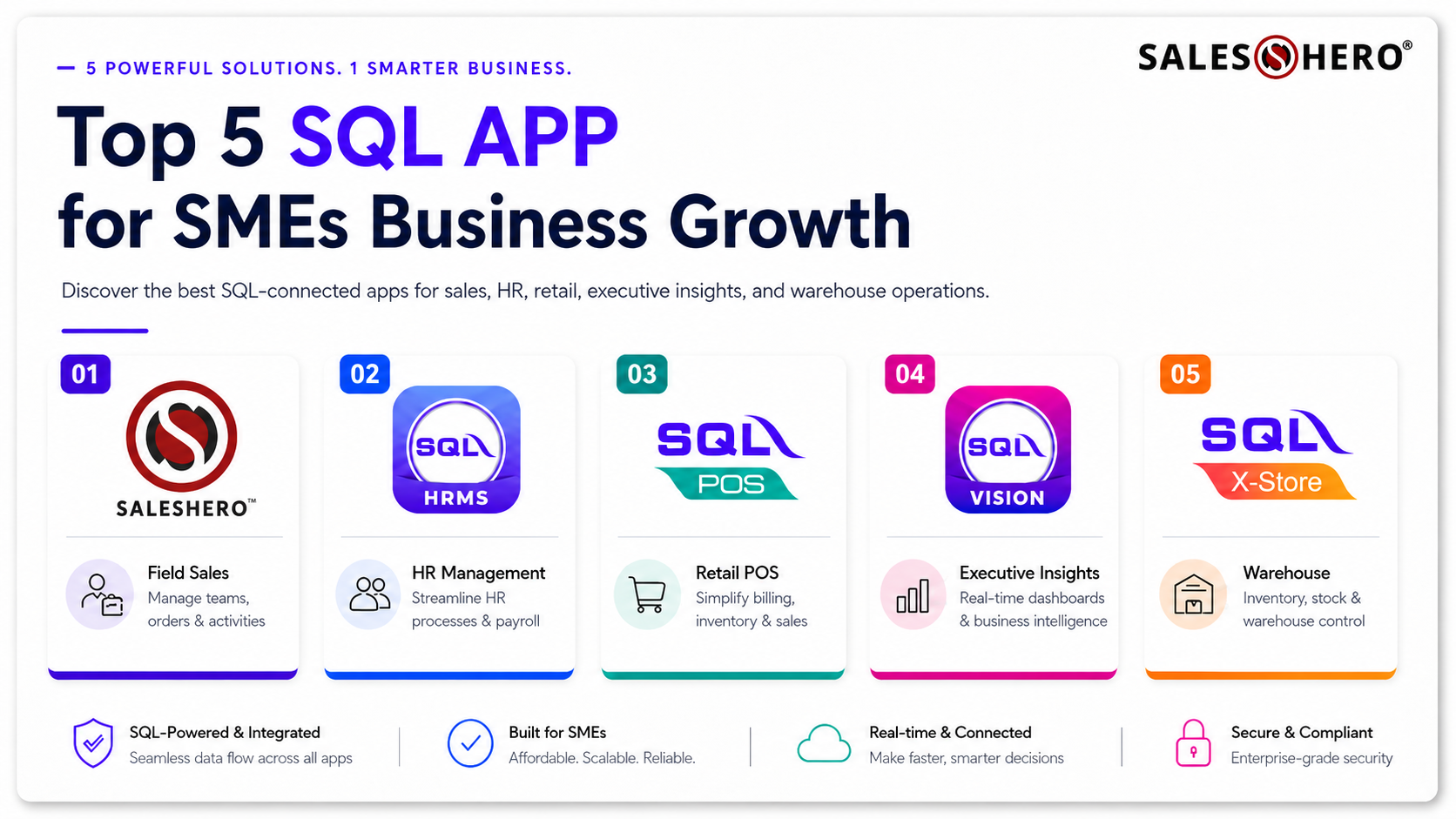
Why Your Business Needs a Dedicated SQL App Strategy
Most users recognize SQL Account as a powerful, stable desktop accounting solution. However, the true potential of the software is unlocked when you move data into the hands of your front-line employees.
Using a sql app isn't just about viewing reports on a smartphone; it’s about interactive data management. When your accounting system integrates seamlessly with mobile modules, you eliminate manual data entry, reduce human error, and accelerate the decision-making process. From sales teams in the field to HR managers in the office, the right mobile tools create a cohesive digital environment.
1. SQL Integrated APP (SalesHero)
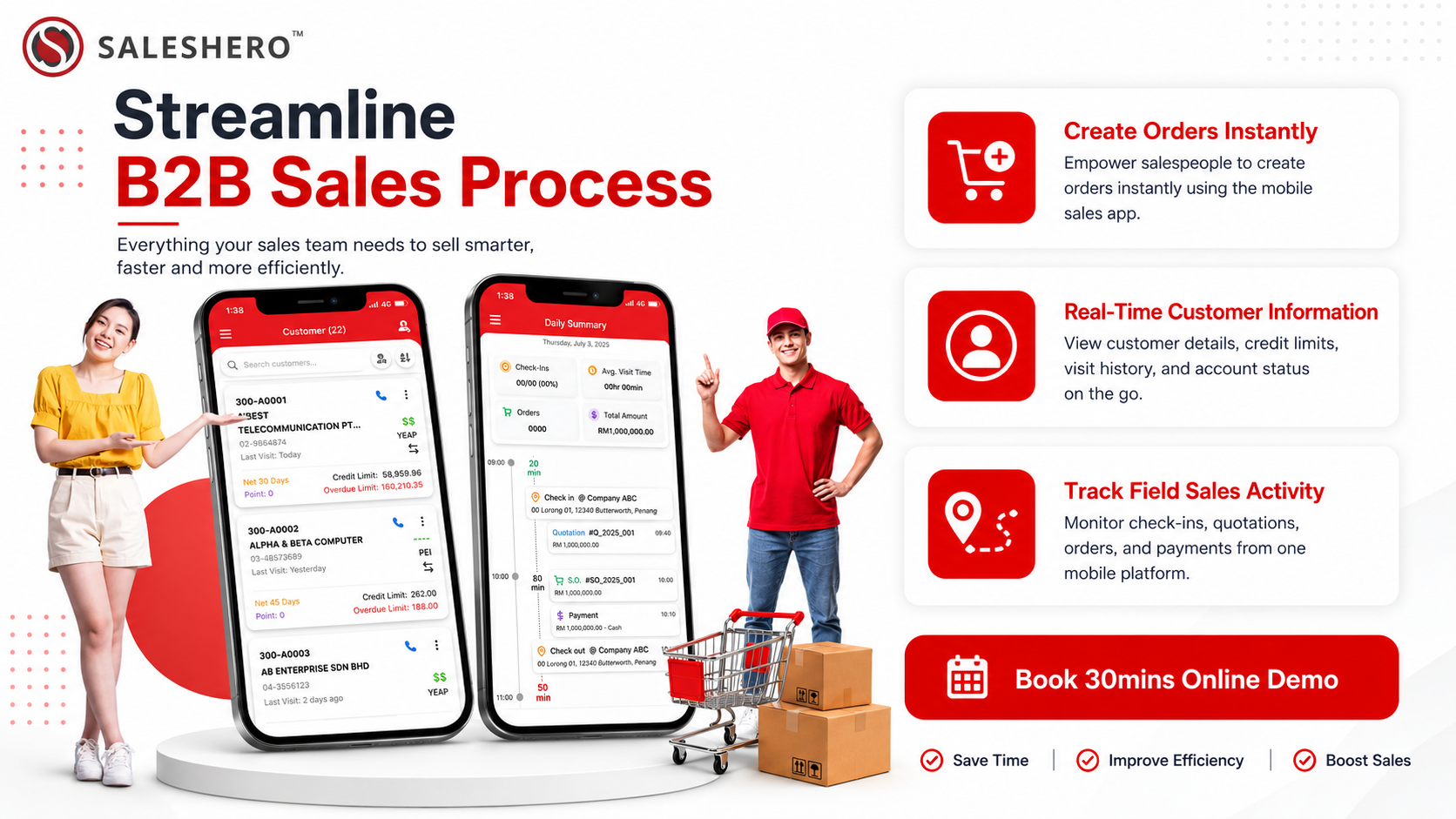
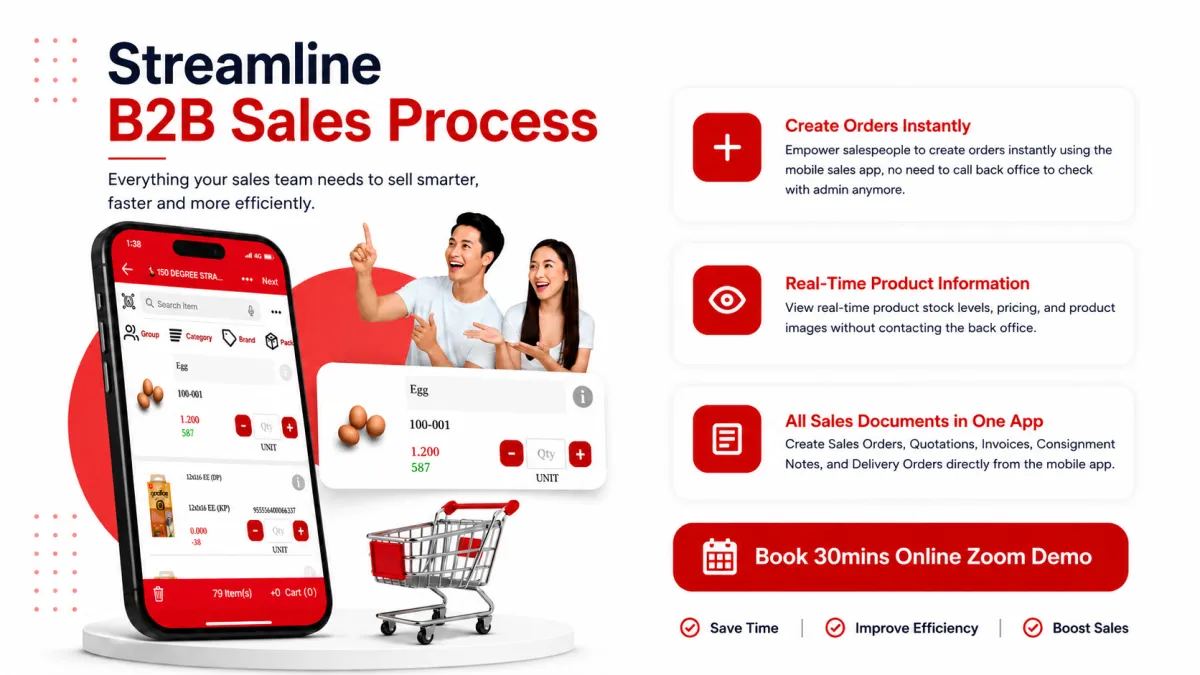
For wholesalers and distributors, the "last mile" of sales is the most critical phase of the business cycle. This is where SalesHero (sql integration) becomes a game-changer for your sales representatives. By placing the power of your back-office accounting directly into the hands of your sales team, you bridge the gap between a customer's handshake and an official invoice.
Instant Order Processing and Accuracy
When a sales rep visits a client, they need to know exactly what is in stock to avoid the embarrassment of backorders. The SalesHero (sql integration) allows them to:
Real-Time Inventory Access: View live stock levels directly from the SQL database.
Customer-Specific Pricing: Access individual customer price lists and outstanding balances.
On-the-Spot Documentation: Issue invoices or sales orders instantly, which then sync back to SQL accounting.
2. Streamlining Workforce Management with SQL HRMS
Human resource management is often the most document-heavy department in any company. Integrating sql hrms into your workflow transforms these administrative hurdles into automated successes, allowing your HR team to focus on talent development rather than paperwork.
Mobile Leave and Claims Management
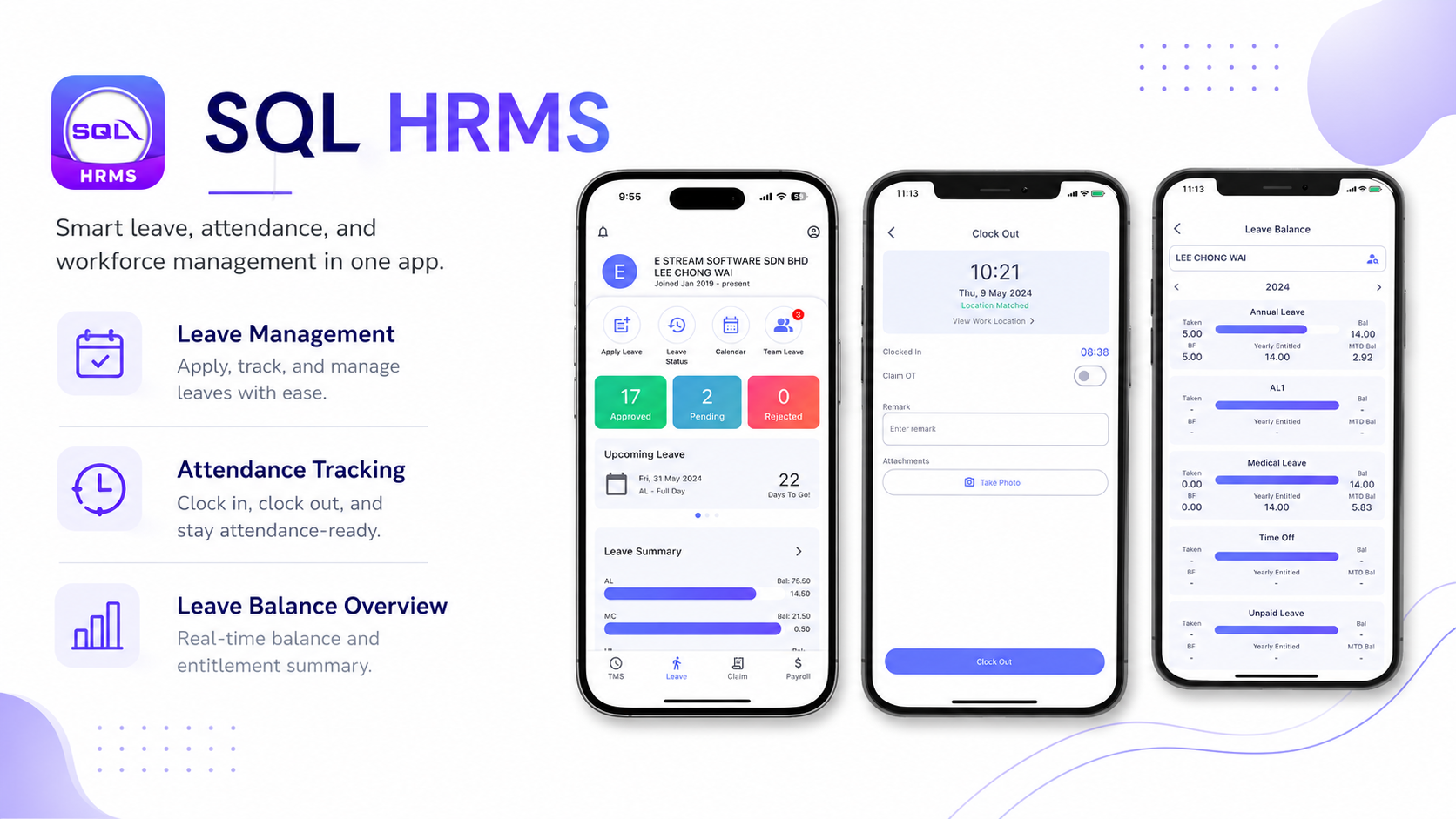
Gone are the days of paper forms, lost emails, and manual spreadsheets. With the HRMS mobile integration, employees enjoy a self-service portal where they can:
Apply for Leave: Submit annual or medical leave requests through the sql app interface.
Expense Claims: Snap photos of receipts and submit claims for reimbursement instantly.
Instant Balances: View their historical leave balance and claim status in real-time, reducing inquiries to the HR department.
Real-time Attendance and Payroll Integration
For businesses with remote workers or multiple sites, sql hrms offers GPS-tagged clock-in and clock-out features. This ensures that attendance data is accurate and flows directly into the payroll module of your SQL Account. By automating the data flow from the field to the payslip, you minimize the time spent on month-end processing and eliminate the risk of manual entry errors.
3. High-Speed Retail Management with SQL POS
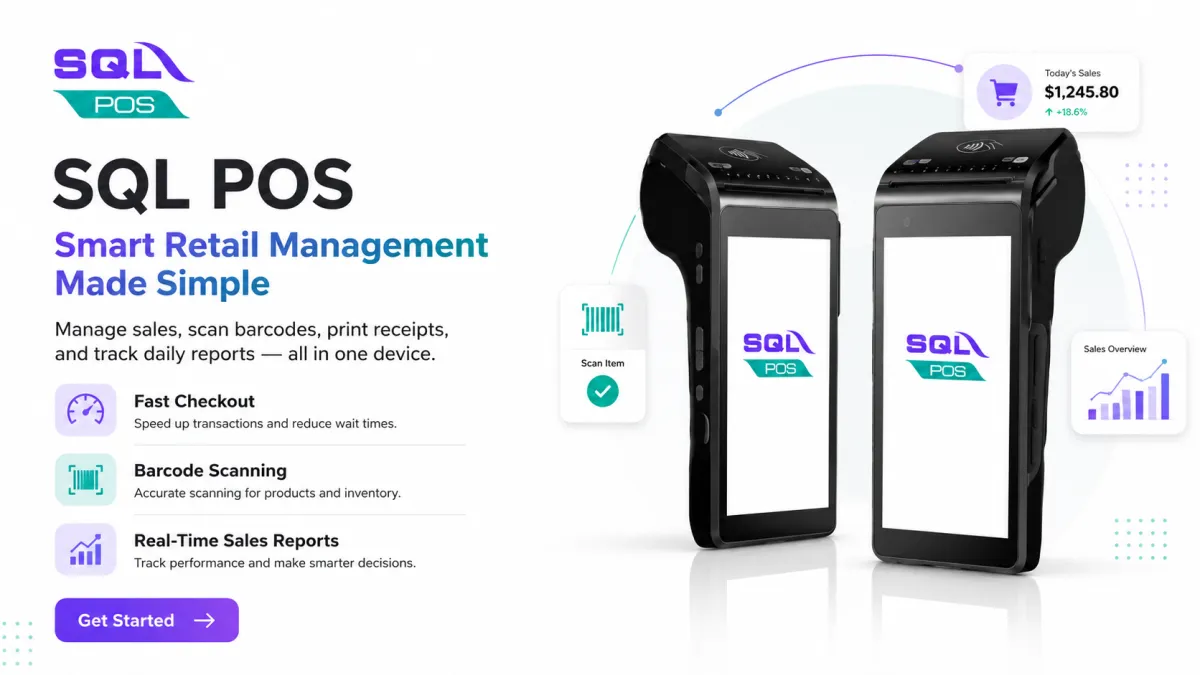
In a retail environment, the checkout counter is the heart of the customer experience. SQL POS is designed to handle high-volume transactions while ensuring that your back-end accounting remains flawless. It transforms a standard tablet or terminal into a powerful sql app extension that bridges the gap between a sale and your financial statements.
Unified Inventory and Member Management
The biggest challenge for retailers is maintaining accurate stock counts across multiple outlets. With SQL POS:
Real-time Synchronization: As soon as an item is sold, it is deducted from the SQL Account inventory globally.
Multi-Branch Visibility: Check stock availability at other branches instantly if an item is out of stock at your current location.
Loyalty Programs: Apply member discounts and track loyalty points automatically at the point of sale, encouraging repeat business.
Offline Reliability for Uninterrupted Sales
Retail doesn't stop when the internet does. SQL POS is built with offline capabilities, allowing your team to continue processing sales during a network outage. Once the connection is restored, the app for sql background sync ensures all transactions are uploaded to the main database, keeping your accounts up to date without any manual intervention.
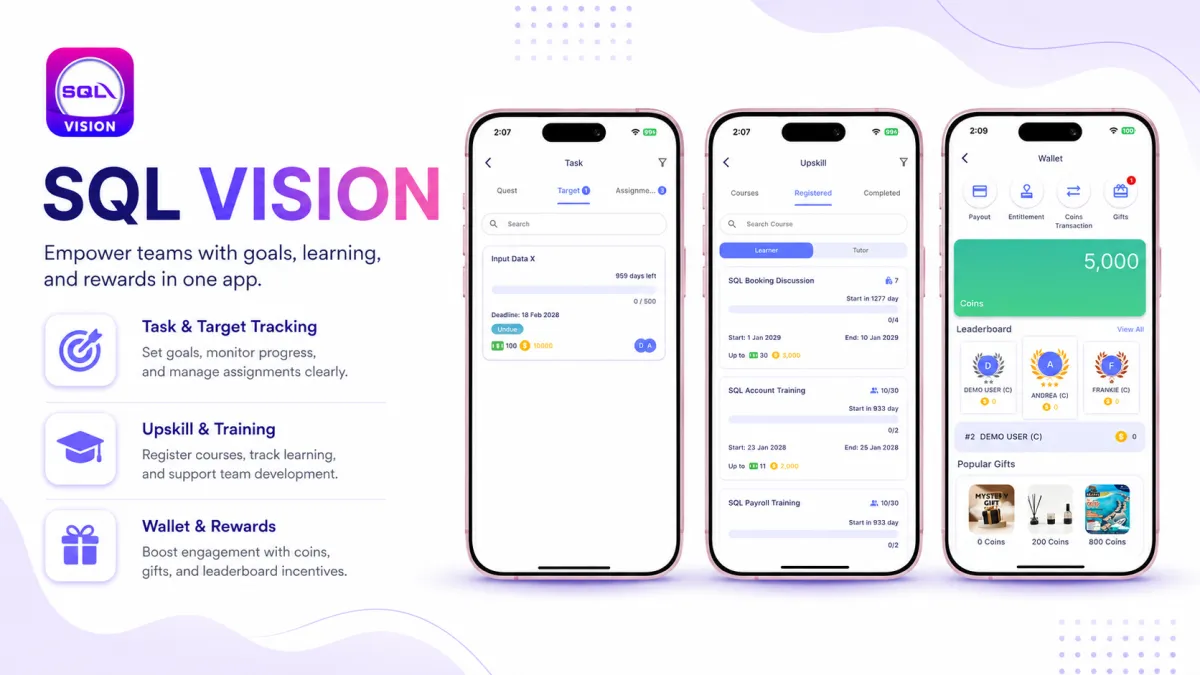
4. Executive Insights on the Go with SQL Vision
If the POS and SalesHero modules are where data is created, SQL Vision is where that data is turned into strategy. This is the ultimate mobile sql app for business owners and directors who need to monitor their business health without being physically present at the office.
The Power of "Management by Exception"
SQL Vision acts as a high-level dashboard that pulls data directly from your SQL Account. It allows executives to focus on what matters most:
Performance Tracking: Monitor daily sales targets and branch performance.
Profit Margin Analysis: View real-time gross profit reports to identify high-performing products.
Inventory Alerts: Receive notifications for low-stock levels or slow-moving items to optimize warehouse space.
Data Visualization for Faster Decisions
Raw accounting tables can be overwhelming. SQL Vision translates complex financial data into intuitive charts and graphs. Whether you are at a coffee shop or in a boardroom, you can open this app for sql and instantly see a visual representation of your cash flow, outstanding debts, and top-performing sales agents, allowing for data-driven decisions on the fly.
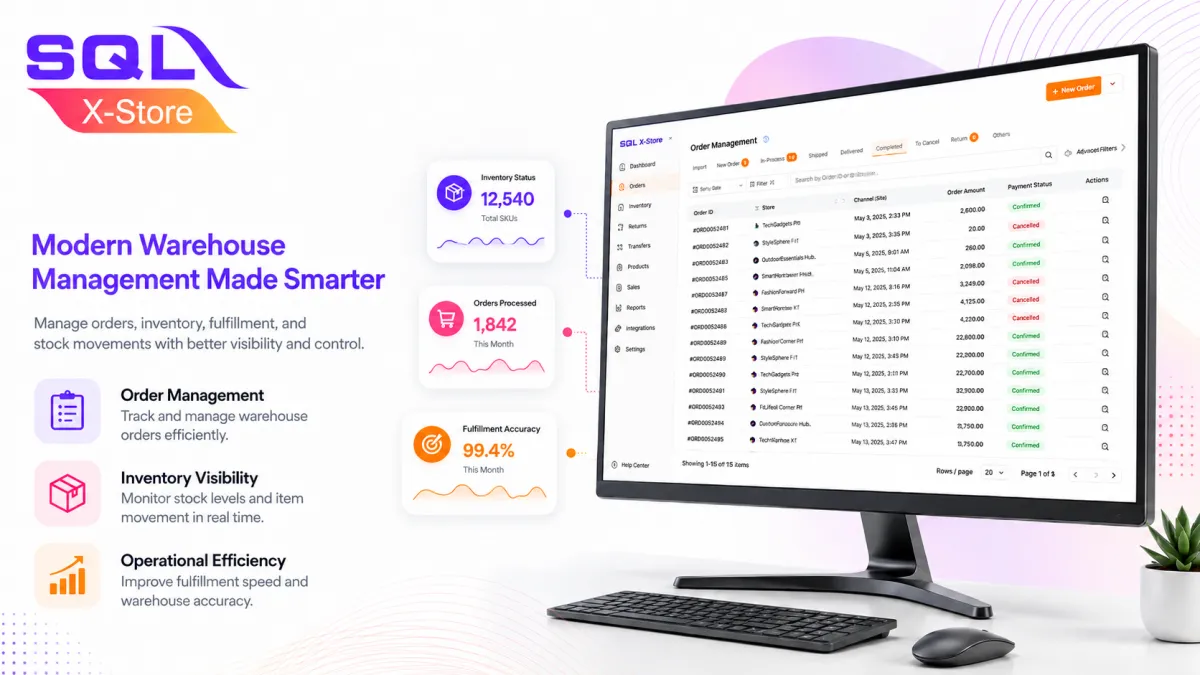
5. Modernizing the Warehouse with SQL X Store
Warehouse management is the backbone of any product-based business. SQL X Store is the mobile solution designed to handle the complexities of stock movement with digital precision.
Digital Stock Takes and Transfers
Manual stock counts are prone to error and incredibly time-consuming. Using a mobile sql app specifically for the warehouse allows staff to:
Barcode Scanning: Perform digital stock takes quickly and accurately.
Inter-Store Transfers: Manage stock movements between different locations with instant updates to the central database.
Verification: Verify incoming shipments against Purchase Orders (PO) to ensure you only pay for what you receive.
Optimizing Fulfillment
SQL X Store optimizes the "pick and pack" process by providing digital picking lists. This reduces the time spent wandering warehouse aisles and ensures that the correct items reach the customer every time, significantly reducing the cost of returns and errors.
Actionable Tips for Choosing Your SQL App Strategy
To get the most out of your mobile integration, consider the following steps:
Audit Your Pain Points: Identify where data entry is slowest. Is it in field sales? HR? Or the warehouse? Prioritize the module that addresses your biggest bottleneck.
Network Stability: Mobile apps require a stable connection to sync. Ensure your warehouse and retail outlets have robust Wi-Fi or that your field reps have reliable mobile data plans.
Invest in Training: While these apps are intuitive, a structured walkthrough for your team ensures high adoption rates and fewer operational errors.
Frequently Asked Questions (FAQ)
What is the best sql app for field sales?
The most effective solution for field sales is SalesHero (sql integration). It provides a comprehensive suite of tools for order taking, stock checking, and customer aging management that syncs directly with SQL Account.
What is the main difference between SQL POS and SQL Vision?
SQL POS is a transactional tool used by front-line staff to process sales and manage inventory at the point of sale. SQL Vision is an analytical tool used by managers and owners to view reports and monitor business performance through dashboards.
Does SQL HRMS support multi-company setups?
Yes, sql hrms is designed to handle complex business structures, including multiple companies and departments, while keeping the payroll and leave records distinct for each entity.
Is my data secure when using an app for sql?
Security is a top priority. The SQL ecosystem uses encrypted data transmissions and user-level permissions to ensure that employees only see the data relevant to their specific roles.
Conclusion: Empowering Your Business with SQL App
Building a modern business requires more than just good accounting; it requires an agile, mobile-responsive infrastructure. By integrating a dedicated sql app into your daily operations, you bridge the gap between your back-office and your front-line.
Ready to modernize your B2B sales workflow?
Cut down on manual labor and reclaim your time with our automated ordering system. Built for the modern wholesaler.